Automatic highlight clips
TurboKast spots highlights in your stream from chat, audio and video, and lines them up for you to review and publish.
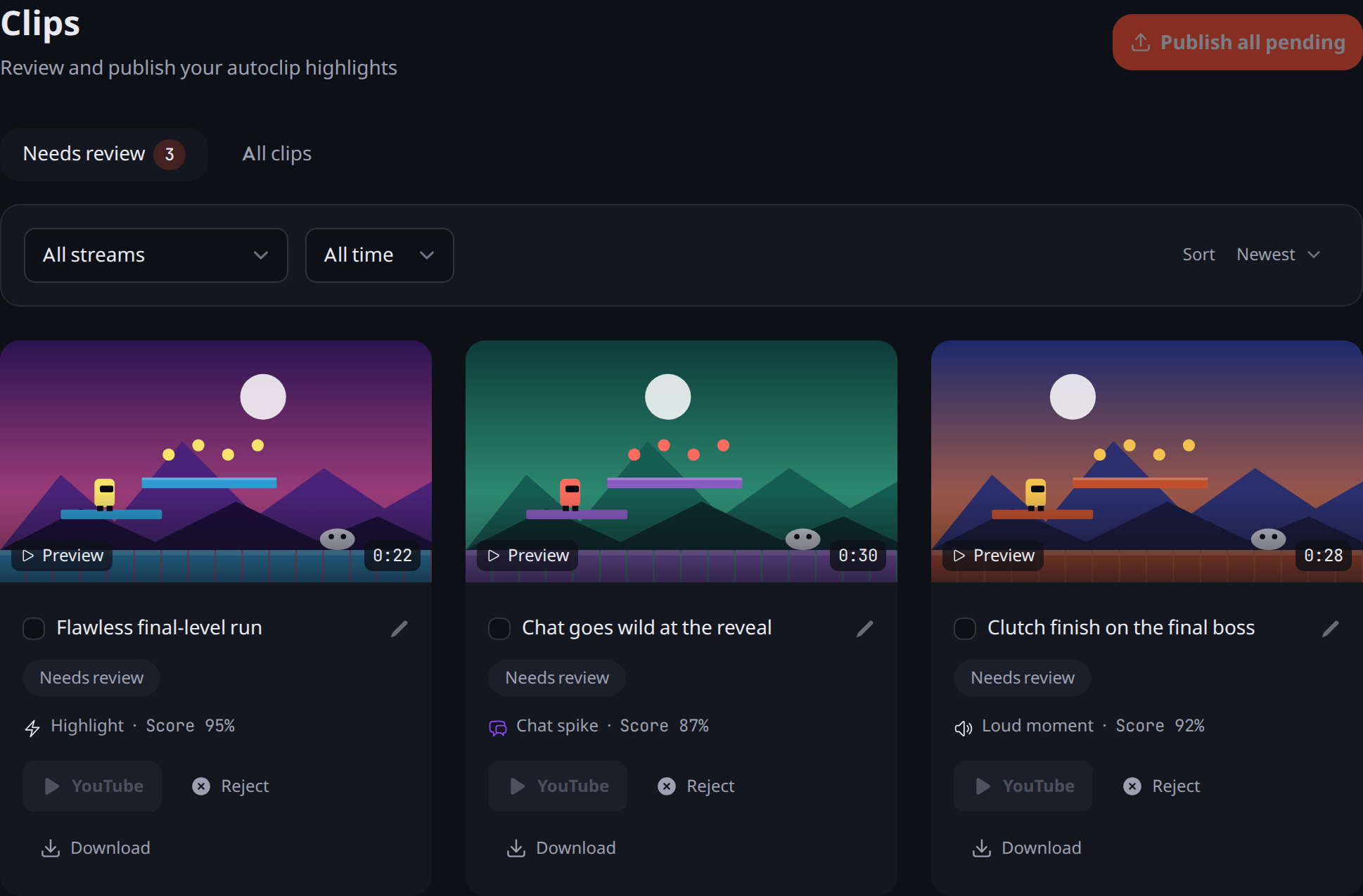
TurboKast watches your stream for highlights: a chat spike, a loud moment or a burst of on-screen action. It saves each one as a clip for you to review.
Review and publish
- The Clips page has a Needs review tab and an All clips tab. You can filter by stream, date and status, and sort by newest, confidence or duration.
- Edit a clip’s title, download it, or publish or reject clips one at a time or in bulk.
- Clips publish to YouTube as Shorts, so a clip has to be vertical to publish.
Clip it yourself
The stream pop-out window has a Clip That button that saves the last 30 seconds as a clip.